How To Create File on Linux (Command Line)
Updated: April 28, 2026
File on linux computer system can be created, moved, renamed, modified, grown, shrunk, and deleted. In most cases, software programs that are executed on the computer handle these operations, the user can also modify these files directly via terminal with command lines.
How To Change Directory in Linux (Terminal, Command Line)
Updated: April 27, 2026
Changing Directory (or Folder) Path on linux based operating system basically can be executed via terminal interface using command line interface. In other words a specific command line can navigate you to another working directory in the computer system.
5 Fast and Best Linux Terminal Emulator
Updated: April 23, 2026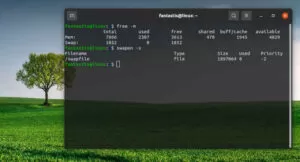
Linux Terminal is often called a command prompt or shell. In the past, this was the user’s way of interacting with the computer, but Linux users found that using a shell it could execute commands much faster than the graphical way and it is still very useful today.
How To Create Directory in Linux (Command Line)
Updated: April 23, 2026
Directory (or Folder) on linux based operating system basically can be created, moved, modified, grown, shrunk, and deleted. In most cases, software programs that are executed on the computer handle these operations, but the user of a computer can also manipulate files if necessary.
How To Rename Directory in Linux (Terminal, Command Line)
Updated: April 22, 2026
Renaming Directory (or Folder) on linux based operating system basically can be executed via terminal interface using command line. The user of a computer can also manipulate directory if necessary such as created, moved, modified, grown, shrunk, and deleted.
Dedicated Server Hosting
Updated: April 22, 2026
Dedicated Hosting is a server that is allocated to a single organization or for a single purpose, like a website. This is different from the shared hosting which hosts multiple sites
Reseller Hosting
Updated: April 21, 2026
Reseller Hosting is a form of web hosting wherein the account owner has the ability to use his or her allotted hard drive space and bandwidth to host websites on behalf of third parties
How To Remove File on Linux (Command Line)
Updated: April 20, 2026
File on linux computer system can be created, moved, renamed, modified, grown, shrunk, and deleted. In most cases, software programs that are executed on the computer handle these operations, the user can also modify these files directly via terminal with command lines.
How To Rename File in Linux (Terminal, Command Line)
Updated: April 19, 2026
File in linux computer system can be renamed, created, copied, moved, modified, grown, shrunk, and deleted. In some cases, software programs that are executed on the computer handle these operations, the user can also modify these files directly via terminal using command line.