How To Remove Directory on Linux (Command Line)
Updated: April 17, 2026
Remove Directory (or Delete) on linux computer system can be performed via terminal using command line. In most cases, software programs that are executed on the computer handle these operations, but the user of a computer can also modify directories if necessary.
How To Copy File in Linux (Terminal, Command Line)
Updated: April 17, 2026
File in linux computer system can be created, copied, moved, renamed, modified, grown, shrunk, and deleted. In some cases, software programs that are executed on the computer handle these operations, the user can also modify these files directly via terminal using command line.
The Most Used Linux Basic Commands
Updated: April 15, 2026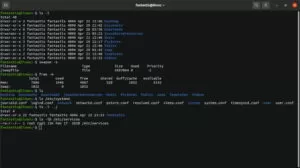
Linux command is a case sensitive text interface to accomplish all administrative tasks to your computer system. All the commands are run in the terminal provided by the Linux system as user interactive and outputs the results of commands which are specified by the user itself.
VPS – Virtualization, Hypervisor, Xen, KVM, OpenVZ
Updated: April 14, 2026
Virtualization is the act of making virtual version of a physical resource so that can be run or stored for one or more several virtual version at once. Until now the resources that have been virtualized include computer hardware platforms, storage devices, operating systems, network services, and this is still growing.
The Top 10 Best Website Builder
Updated: April 12, 2026
This article contains about Website Builder. It is an all-in-one tools that allow users build a website quickly. It is typically allow the construction of websites without manual code editing or site design skills. Top 10 Best Website Builder include WordPress, Squarespace, Shopify, Weebly, Wix, Strikingly, Jimdo, woocommerce, Format, Webflow
5 Best Free Server Hosting Control Panel
Updated: March 28, 2026
This article contains about Best Free Web Server Hosting Control Panel. Hosting Control Panel is also known as Server Control Panel is a type of web-based interface that allows administrators or users to control and manage their hosted website or application. These are Free Web Control Panels as an alternative to cPanel that are popular and most used
How To Create File on Linux (Command Line)
Updated: March 23, 2026
File on linux computer system can be created, moved, renamed, modified, grown, shrunk, and deleted. In most cases, software programs that are executed on the computer handle these operations, the user can also modify these files directly via terminal with command lines.
WordPress Ping List, Index Faster (Working, Updated)
Updated: March 20, 2026
Ping is an option to quickly notify search engines or crawler that your site has a new or updated post. This is a useful method for faster indexing to your published or modified post, although submit a site’s sitemap is already enough.
How To Copy Directory in Linux (Terminal, Command Line)
Updated: March 5, 2026
Directory in linux computer system can be created, copied, moved, renamed, and modified. In some cases, software programs that are executed on the computer handle these operations, the user can also modify these directories directly via terminal using command line.